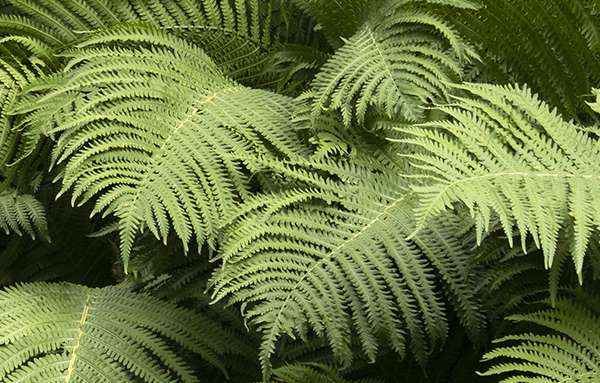
Ghoul #667744 RGB Color Code
Name from the community color list.
Ghoul (#667744) is a muted, medium green. In RGB it is made of 40% red, 47% green and 27% blue (R 102, G 119, B 68). The green channel is the strongest. In HSL it has a hue of 80°, 27% saturation and 37% lightness. Its relative luminance is 0.164, so white text is easier to read on top of it. For print, a rough CMYK match is 14% cyan, 0% magenta, 43% yellow and 53% black. Check it against your printer's ICC profile before you print. It is a cool color. It goes well with warm oranges and reds for contrast. For a calm, matching look, use nearby cool tones.

Ghoul color codes
#667744 in every common color format. Click a value to copy it.
| Format | Value | Copy |
|---|---|---|
| HEX | #667744 | |
| RGB | rgb(102, 119, 68) | |
| HSL | hsl(80, 27%, 37%) | |
| HSV / HSB | hsv(80, 43%, 47%) | |
| HWB | hwb(80 27% 53%) | |
| CMYK | cmyk(14%, 0%, 43%, 53%) | |
| OKLCH | oklch(54.24% 0.0764 123.97) | |
| OKLab | oklab(54.24% -0.0427 0.0634) | |
| CIELAB | lab(47.66% -13.35 25.81) | |
| CIELCH | lch(47.66% 29.06 117.35) | |
| Display P3 | color(display-p3 0.4128 0.4646 0.2897) | |
| XYZ (D65) | color(xyz-d65 0.1312 0.1644 0.0795) | |
| Decimal | 6715204 |
CMYK here is a rough screen match without an ICC profile. See CMYK and print. Relative luminance: 0.1644. Nearest web-safe color: #666633.
Mix Ghoul with other colors
See what #667744 makes with red paint, under a green light, printed with cyan ink and in a digital blend with blue. Click a picture to change the colors and amounts in the color mixer.
Use Ghoul in your code
Ready to paste into CSS, Sass, Tailwind, iOS, Android and Flutter. Click the icon to copy a line.
| Where | Code | Copy |
|---|---|---|
| CSS variable | --ghoul: #667744; | |
| Sass variable | $ghoul: #667744; | |
| Tailwind CSS v4 | @theme { --color-ghoul: #667744; } | |
| Tailwind CSS v3 config | colors: { 'ghoul': '#667744' } | |
| SwiftUI | Color(red: 0.4, green: 0.467, blue: 0.267) | |
| UIKit | UIColor(red: 0.4, green: 0.467, blue: 0.267, alpha: 1) | |
| Android XML | <color name="ghoul">#FF667744</color> | |
| Flutter and Jetpack Compose | Color(0xFF667744) |
Accessibility and contrast
White text works best on #667744 (4.90:1, AA). Here is how #667744 does as a text color:
Check this color against any background in the contrast checker. WCAG ratios and APCA Lc values measure different things, so one can't stand in for the other. Learn more.
How people with color blindness see Ghoul
#667744 next to its complement and its two triadic colors, as seen with each type of color blindness.
- Normal visionhow most people see it
- Protanopiano red cones, about 1% of men
- Deuteranopiano green cones, the most common type
- Tritanopiano blue cones, very rare
- Achromatopsiano color at all, very rare
With tritanopia, #667744 and #446677 look much alike. Don't use these colors alone to tell things apart, for example in a chart. Add labels, patterns or a difference in lightness. Try your own colors in the color blindness simulator.
Ghoul in a user interface
A sample app screen with #667744 as the main color, on a light and a dark theme.
Light theme
Dark theme
Buttons and bars use #667744 as it is. On the dark theme, #667744 is too hard to read as text (3.63:1), so links, the badge and outline text use #758753 there (4.52:1). Build a full color scheme around it in the UI color preview.
Color harmonies for Ghoul
These schemes turn the hue of #667744 around the color wheel. Each swatch links to its own page.
Complementary
Two colors on opposite sides of the wheel. This gives the most contrast.
Analogous
Hues that sit next to each other and look good together.
Triadic
Three hues spaced evenly around the wheel. Bold, but still balanced.
Split complementary
A base color plus the two hues on each side of its opposite. Strong contrast that clashes less.
Tetradic (rectangle)
Two pairs of opposite colors. Let one color lead and use the others less.
Square
Four hues 90° apart, spread evenly around the wheel.
Monochromatic
One hue at different levels of lightness and saturation.
Gradients with Ghoul
Four CSS gradients made from #667744. Copy the code, or open one in the gradient generator to change it.
Soft tint
From a pale tint to the full color.
background: linear-gradient(90deg, #DEE3D8, #667744);
Deep shade
The color fading into a dark shade.
background: linear-gradient(180deg, #667744, #171C0C);
Analogous
Its two neighbors on the color wheel.
background: linear-gradient(135deg, #776F44, #667744, #4D7744);
Triadic
A bold blend with a triadic color, through a clean middle.
background: linear-gradient(135deg, #667744, #556F60, #446677);
Shades, tints and tones of Ghoul
Shades are darker, tints are lighter and tones are grayer. We make them in OKLCH so the steps look even. Hover a step to see its code, or click it to open it.
Design system scale (50 to 950)
Ghoul sits at step 600. Export the full scale as CSS variables or Tailwind tokens from the picker.
Closest RAL, Tailwind and CSS colors
The nearest match to #667744 in three color systems that designers and builders use.
ΔE is the distance in OKLab: under 2 is hard to see, over 10 is a clearly different color. Browse all RAL colors, the Tailwind palette or the 148 CSS color names. RAL values on screens are only a guide, so check a real color chart before you order paint.
Colors similar to Ghoul
The named colors that look closest to this one (ΔE in OKLab). Browse all shades of green or search the color library.